


Spades For Seniors: Card Game
4.51.42K Reviews
App Specs
- Version
- 1.28.0
- Updated On
- License
- Free
- Downloads
- 100,000+
- Developer
- WildCard Games
- Categories
- Card
- Platform
- Android
Screenshots
 Analysis by AppCompare
I like card games that let me settle into a hand without turning the screen into a puzzle of menus. Spades For Seniors: Card Game puts that straightforward feeling at the center: it is a digital take on a familiar partnership card game, with play designed to be approachable for older players without making it exclusive to them. I found its clearest appeal in the simple rhythm of choosing a card, following the hand, and keeping attention on the decisions rather than the interface.
A familiar card table, made easier to approach
That focus matters because Spades is easy to recognize but still asks you to think ahead. You need to consider what your hand can support, watch how the trick develops, and remember which cards have already appeared. The game’s senior-friendly presentation aims to make those decisions easier to reach, not to remove the strategy. For someone returning to Spades after a long break, that distinction makes the game feel inviting rather than watered down.
The app is a free card game from WildCard Games. It has a 4.5 average from around 4,500 ratings, and more than 100,000 installs. It was released on May 9, 2024; version 1.24.1 requires Android 8.0 or later, and its age rating is Everyone. Those details make it easy to place: this is a current, free-to-start option for people who want Spades on a compatible Android device, rather than a broad collection of unrelated games.
Playing at a comfortable pace
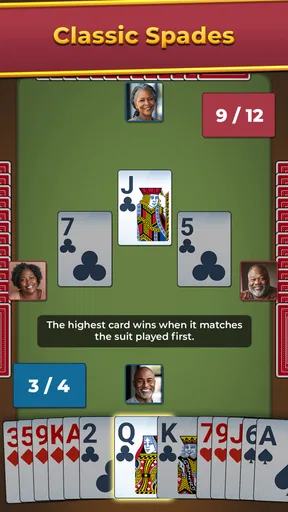
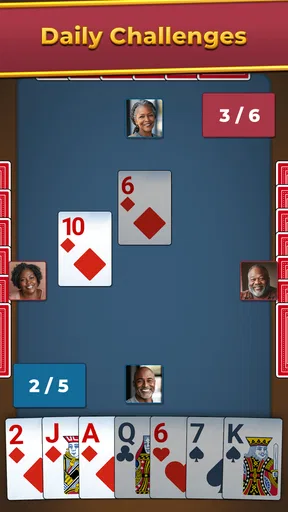
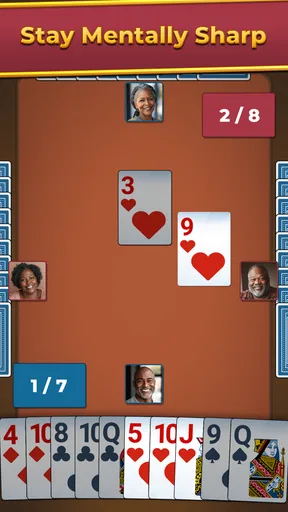
When you first open the app, you're greeted with a simple and user-friendly interface. It doesn't bombard you with flashy graphics or overwhelming options, which is a relief. Instead, it feels like sitting down at a familiar card table. The design is intuitive, making navigation a breeze even for those who might not be tech-savvy. You can dive right into the game without needing a tutorial, but there’s one available if you want to brush up on the rules.
What a hand asks of you
Spades rewards attention more than quick reactions. A useful way to approach a new session is to take a moment before playing a card and ask what you are trying to achieve with the trick: win it, avoid taking it, or help your partner’s plan. The computer can handle the arithmetic, but the choices remain yours. That makes a short game a decent way to keep the familiar parts of Spades in practice without needing a physical deck or another player in the room.
If you are learning, I would treat hints as an occasional explanation rather than a button to press automatically. Make your own choice first, then use help when you cannot see a sensible play. That small habit makes it easier to notice why a suggestion might work and gradually build your own judgement. If you already play confidently, you can ignore assistance and use the match as a relaxed mental workout instead of turning every hand into a lesson.
Solo play for spare moments
The gameplay of Spades For Seniors: Card Game is smooth and engaging. The app offers both single-player and multiplayer modes. Playing solo is fun with AI opponents that provide a decent challenge. However, the multiplayer mode is where the app truly shines. It lets you connect and play with friends or family, no matter where they are. It’s like having a virtual family game night at your fingertips.
Worth Reading Before You Choose

EA SPORTS FC Mobile 26 Is a Bigger Football Game, but It Takes Time

Flipboard Shows What News Apps Must Do Beyond the Feed

Switching to Android Auto Means Rethinking Your Driving Routine

Google Calendar Makes a Crowded Week Easier to Manage

Ludo King Makes the Most of the Minutes Between Plans

Baby Panda World Brings Quick Play to Modern Phones, but Its Game Library Feels Busy
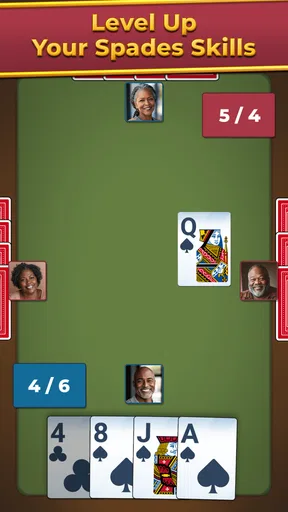
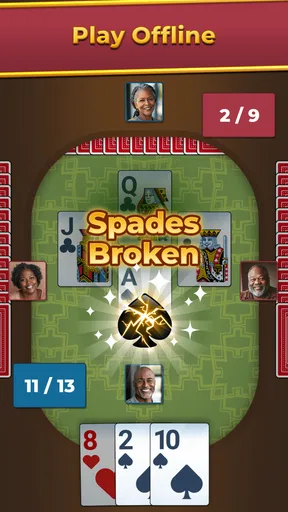
The controls are straightforward. You just tap on the card you want to play, and the game takes care of the rest. There’s no unnecessary clutter, and the cards are easy to read, which is great for those who may have trouble with small text or complicated layouts. The scoring is automatic, so you can focus on strategy instead of math.
When a quick session fits best
A realistic use for the solo option is a quiet wait between appointments or a few minutes at home before dinner. You can focus on one hand at a time, then put the phone away without arranging a table, finding a deck, or asking someone to join. The automatic scorekeeping also makes this a practical choice if mental arithmetic is not the part of Spades you enjoy. You still have to think about the cards; you just do not need to track the totals yourself.
That convenience has a trade-off. A computer opponent can keep a game moving when nobody else is available, but it cannot recreate the small social cues of sitting across from friends: a pause, a laugh, or a familiar table routine. If your main reason for playing is the company, the solo mode is a useful fallback, not a replacement for a real gathering. I would use it to stay in practice or fill a short break, not expect it to feel like a full evening with a group.
Learning without making it feel like homework
One feature I really appreciate is the adjustable difficulty levels. Whether you're a spades newbie or a seasoned player, you can find a level that suits your skills. The game also includes a handy hint system that you can use if you get stuck. It's perfect for learning new strategies without feeling frustrated.
For a beginner, I would start at a comfortable difficulty and focus on understanding the flow of a hand before trying to optimize every decision. For an experienced player, increasing the challenge can keep familiar play from feeling automatic. The practical benefit is flexibility: you can make a session gentle when you are tired, then raise the pressure when you want to concentrate. Still, difficulty settings cannot guarantee that every hand will feel perfectly matched to your ability, so I would treat them as a way to tune the experience rather than a promise of a specific level of competition.
Playing together from different places
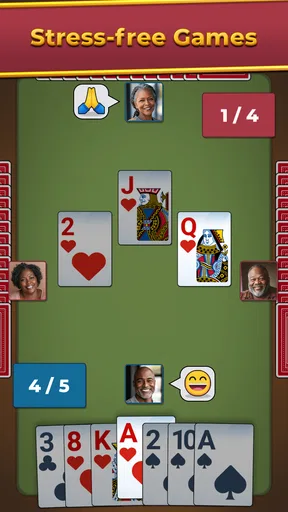
Another highlight is the chat feature in multiplayer mode. It’s not just about playing cards; it’s about connecting with others. The chat function allows for friendly banter and the occasional trash talk, making the game more interactive and enjoyable.
This makes multiplayer most appealing when you already have a person in mind to invite into a game: a relative who lives far away, a friend who likes Spades, or someone who wants a shared activity that does not require video calls or complicated planning. I would agree on a relaxed pace before starting, especially if one player is still learning. Chat can add warmth, but it is also optional in spirit; the key benefit is having a way to play together, not needing to keep a conversation going every hand.
Compared with a physical deck, the app saves the effort of dealing and tallying points, and it gives you a solo option when a partner is unavailable. Compared with a general card-game collection, its appeal is more focused: it is for someone who wants Spades specifically, rather than a menu of different games to sample. If you want a lively in-person table or a broad catalogue of card games, those alternatives may suit you better. If you want this particular game in a more convenient format, the focused approach is a strength.
Accessibility and inclusivity
The developers have clearly put thought into making Spades For Seniors: Card Game accessible. The app supports various accessibility features like larger fonts and voice commands, which is a crucial aspect for ensuring everyone can enjoy the game. It’s refreshing to see an app that prioritizes inclusivity and caters to a diverse range of users.
For anyone choosing a card game for an older relative, I would look beyond the label and check whether the actual screen feels comfortable to that person. A clear layout can help, but comfort is personal: eyesight, dexterity, and familiarity with tapping all vary. Sitting together for the first session can make a difference. Show how to select a card, let them take their time, and use the tutorial if the rules need a refresher. Once the basic interaction feels natural, the game can become an independent pastime rather than a task that requires help every time.
I would also avoid assuming that “for seniors” means only seniors will enjoy it. A younger player who likes traditional Spades and prefers a calm interface may appreciate the same qualities. On the other hand, someone who wants fast, highly animated play or a constant stream of new modes may find the deliberate, focused presentation too restrained. Its audience is defined more by a preference for accessible Spades than by age alone.
Simple presentation, with a practical purpose
The graphics are simple yet charming, capturing the essence of a classic card game. There are no distracting animations, which keeps the focus on the gameplay. As for the sound, the gentle background music and sound effects add a pleasant ambiance without being intrusive. You can also adjust the volume or mute it entirely if you prefer silence while you strategize.
That restrained look is especially useful when playing in a shared room, during a quiet break, or in the evening when bright effects and loud sounds would be unwelcome. I would mute the audio in a waiting room or while listening to something else, then leave the visuals to do the work. The advantage is less distraction; the downside is that players who enjoy elaborate card-table themes and spectacle will not find that to be the main attraction here.
What to expect before installing
The game is rated Everyone, which makes it a reasonable choice for a household looking for a card game without mature themes. It is free, so trying it does not require an upfront purchase. I would still think about the kind of play you want before installing: this is a focused Spades experience, not a substitute for every card game, and the strongest reason to choose it is wanting to play Spades in a simple digital format.
One practical question is whether it suits someone who has never played. The tutorial and hints give a newcomer a place to start, while adjustable difficulty offers room to settle in. I would not expect a single session to teach every strategy, but learning one hand at a time is a comfortable way to get familiar with the game. For a player who already knows the rules, the controls and automatic scoring help keep the focus on play rather than setup.
Another question is whether it works for social play or only as a solo pastime. Both options are part of the experience: solo play fills quiet gaps, while multiplayer and chat are better suited to sharing a game with someone you know. If reliable companionship is the deciding factor, consider whether your intended playing partner will also want to join. Without that, the AI provides a convenient alternative, though it may not satisfy someone who values human conversation above the cards.
It is also worth being realistic about what “accessible” can mean. Larger text and voice commands are described as available, but people have different needs and comfort levels; I would test the controls personally rather than assume any one feature will solve every difficulty. If tapping a card is uncomfortable or the screen remains hard to read on your device, another format or a physical deck with a partner may be a better fit. The best option is the one that makes the game enjoyable without strain.
Who is likely to enjoy it most
I would recommend this game to someone who already likes Spades, wants an uncluttered way to play on a phone, and values being able to choose between a solo hand and multiplayer. It also makes sense for a family member who wants to share a familiar pastime remotely, provided both players are comfortable using a mobile game. The free entry point makes it easy to try, and the Everyone rating helps make it broadly suitable for casual household play.
I would skip it if you are searching for a large variety of card games, a replacement for face-to-face company, or a visually busy game with lots of spectacle. It may also be less satisfying if you want a particular style of competitive play that a simple mobile Spades game does not provide. Those are not failures so much as differences in what players want: the app is most convincing when you come for Spades itself and prefer a calmer, easier-to-read presentation.
Final Thoughts
In a world filled with complex and often overwhelming apps, Spades For Seniors: Card Game is a breath of fresh air. It offers a perfect blend of simplicity and challenge, making it suitable for all ages, not just seniors. Whether you're looking to pass the time, sharpen your card skills, or connect with loved ones, this app is definitely worth a download. It’s like having a pocket-sized deck of cards ready whenever you are.
If you’re ready to shuffle and deal, you can download the app on both Android and iOS. Grab some tea, settle into your favorite chair, and let the games begin!
Pros
- Easy to learn with simple rules.
- Engaging graphics tailored for seniors.
- Adjustable difficulty levels.
- Offline play available anytime.
- Minimal ads for an uninterrupted experience.
Cons
- Limited multiplayer options.
- No chat feature for in-game communication.
- Requires frequent updates.
- Lacks diverse card deck designs.
- No tutorial for advanced strategies.
FAQs for Spades For Seniors: Card Game
What is the primary objective of Spades For Seniors: Card Game?
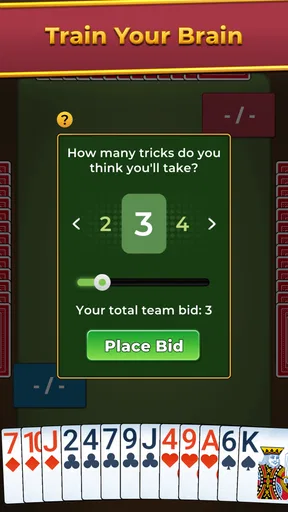
The primary objective of Spades For Seniors: Card Game is to score points by bidding and winning tricks. Players must predict the number of tricks they can win in each round. The game combines strategic thinking with a bit of luck, making it engaging for seniors who enjoy classic card games.
Is Spades For Seniors suitable for players who are new to card games?
Yes, Spades For Seniors is designed to be accessible to beginners. The game includes a helpful tutorial and easy-to-understand rules. This makes it ideal for seniors who may be new to digital card games but want to enjoy a relaxing and entertaining experience.
Does the game offer multiplayer options for playing with friends?
Spades For Seniors offers both single-player and multiplayer modes. Players can enjoy the game alone against AI opponents or connect with friends and family online for a more social gaming experience. This flexibility enhances the game's appeal for those who enjoy playing with others.
Are there any in-app purchases or ads in Spades For Seniors?
While Spades For Seniors is free to download, it may include optional in-app purchases for additional features or cosmetic upgrades. Additionally, players may encounter ads between games. However, these can usually be removed with a one-time purchase, ensuring an uninterrupted gaming experience.
What accessibility features are available for seniors in the game?
Spades For Seniors includes several accessibility features to enhance usability for older players. These features include adjustable text sizes, color contrast options, and simplified controls. The game is tailored to ensure that seniors can comfortably enjoy playing without any strain or difficulty.


